 Community Portal
 The LDAP Group is ready for testing.
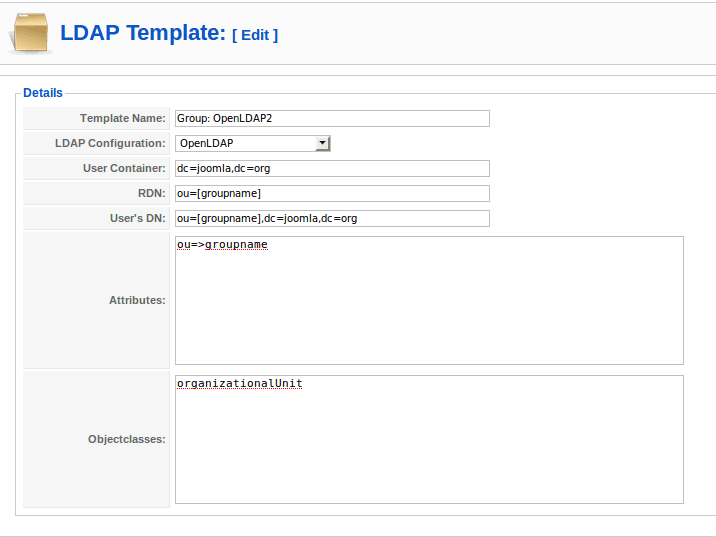
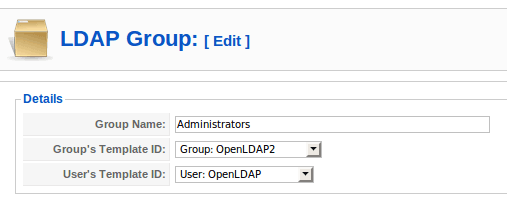
The adminstrator can add the ldap group template using the template manager. Then the groups can be added(as containers) in the LDAP. The administrator can specify which template (and in turn which LDAP configuration) to use for adding the group to the LDAP, along with the user template.
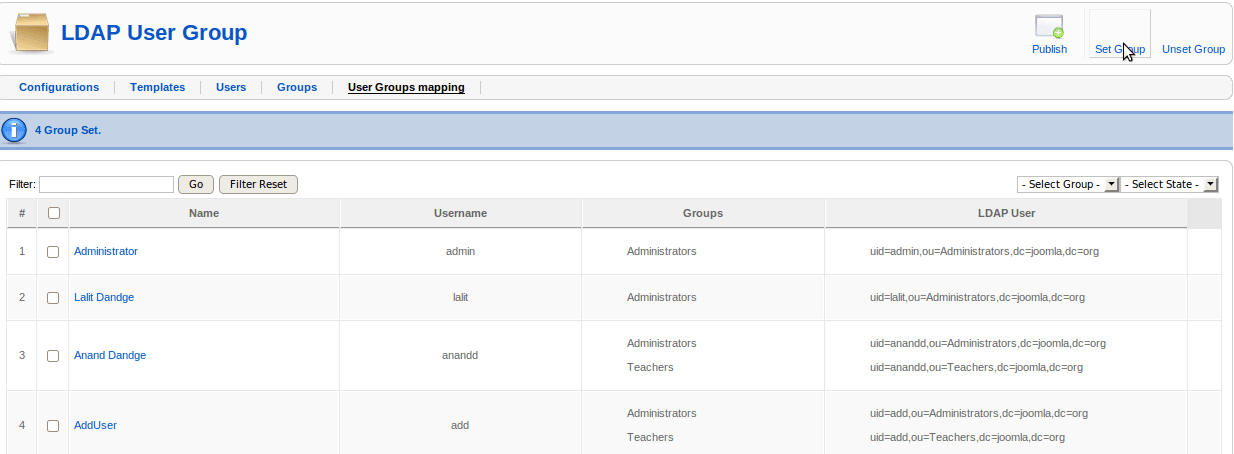
Provided the user template has the same LDAP configuration, the (user)container in the user template is overriden with the container built up using the groupname.
e.g. If the user template has the container as "ou=users,dc=joomla,dc=org" and the group added is "Administrator" (say "dc=joomla,dc=org is the container for group to be added"). Then after setting the group for particular user(say, "someuser") it is stored as "uid=someuser,ou=Administrator,dc=joomla,dc=org".
The user can belong to the groups those are added using various configurations(meaning; a user object can be pushed to the various directory implementation.)
Following are some screenshots:
Adding Group Template:
The template manager(same for the users) can be used to add the group template.
Add LDAP Group:
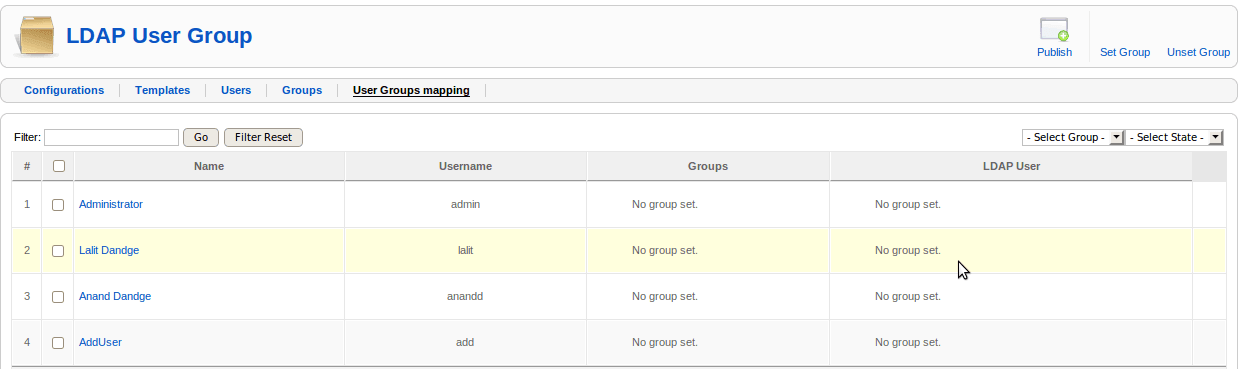
Push Users(Or Set LDAP groups) to directory
Please report any problems/bugs/comments to
The component(latest) can be downloaded from:
http://code.google.com/p/joomla-ldap-integration/downloads/list
You can browse the code at:
http://code.google.com/p/joomla-ldap-integration/source/browse/
The following is the link of the previous blog on how to use LDAP configuration manager, and LDAP template manager to add users.
https://community.joomla.org/blogs/community/946-gsoc-2009-joomla-ldap-integration-updates.html
